HRMIS Portal: The Real DepEd eHRIS Login Guide for Teachers (2026)
If you searched for the DepEd HRMIS portal, here is the first thing you need to know: the system you are looking for is actually called eHRIS — the Enterprise Human Resource Information System. Many teachers type “HRMIS” because the original project was called a Human Resource Management Information System, and the name stuck. This guide explains what the hrmis portal really is, how to log in, what you can do inside it, and how to fix the most common login problems — plus a troubleshooter tool and a free PDF at the end.
Everything below is written in plain words.
Download the free HRMIS portal checklist (PDF)
HRMIS Portal: What It Really Is
DepEd’s eHRIS is the department’s own personnel records system — not a learner system and not a public portal. It holds the records of DepEd’s teaching and non-teaching personnel in one place, so the same teacher does not exist differently in the division record, the payroll record, and the reports sent to oversight agencies. The program traces back to DepEd Memorandum No. 275, s. 2009, which ordered the installation of a Human Resource Management Information System in the department.
Two warnings before anything else. First, eHRIS holds employee data, which is personal information protected by the Data Privacy Act (Republic Act No. 10173). It is not a public directory, and there is no public lookup of an individual teacher’s record — anyone offering to “check” your record from outside is not legitimate. Second, nobody outside DepEd can create or reset your account for you. Account problems go through DepEd’s own ICT Service User Support Division, never through a stranger online.
How to Log In to the HRMIS Portal (eHRIS)
The portal address is ehris.deped.gov.ph. To use it, your email address must already be registered in the system: permanent employees use their DepEd-provided email, while non-regular employees use a Gmail account. If you have never logged in before, follow these steps:
- Go to ehris.deped.gov.ph and click Activate Account on the login page.
- Type your valid email address and click Send Password.
- Open your mailbox and find the default password sent by the system.
- Return to the login page and enter your username and the default password.
- Change the default password right away (click the triangle icon at the upper right of the landing page).
If you see the message “Account does not exist,” your email is not yet registered in eHRIS. Contact the ICT Service User Support Division at icts.usd@deped.gov.ph to have your email registered. Support is a government-to-government transaction with no fee — never pay anyone for account activation.
What You Can Do Inside eHRIS
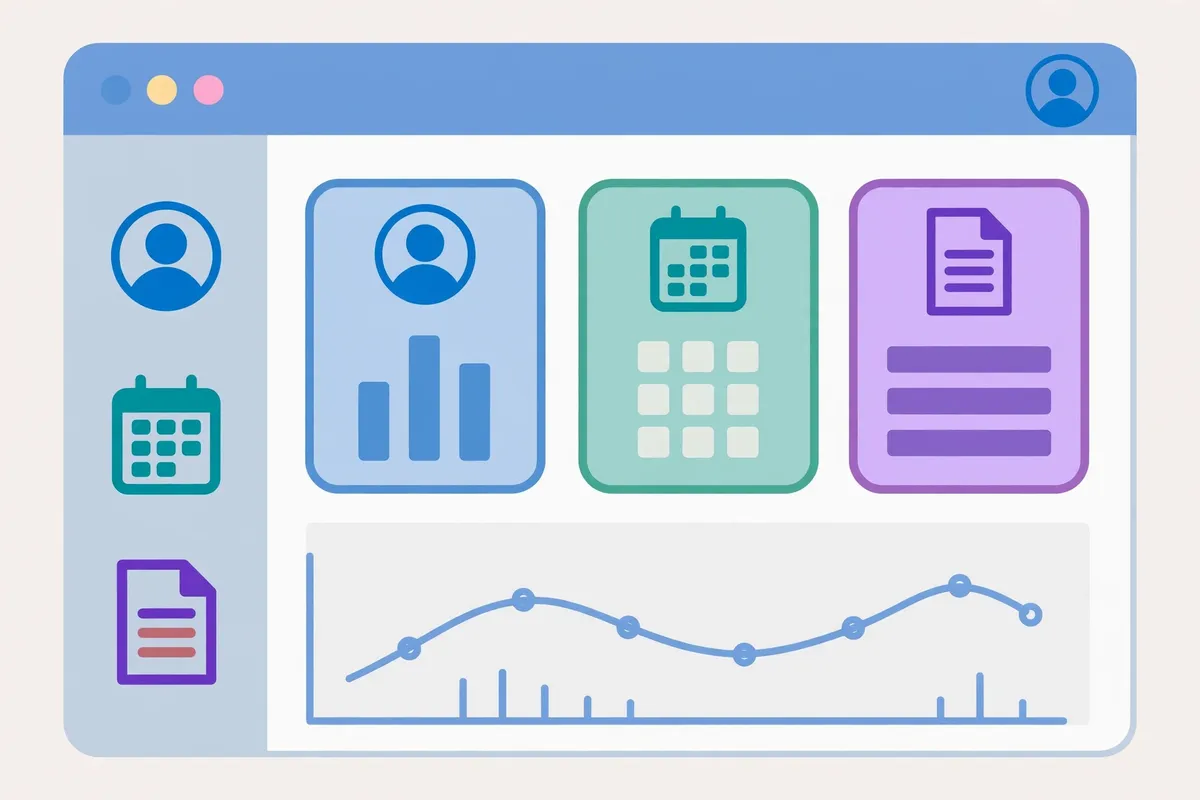
Once logged in, the system has several modules. Here is what each one does:
| Module | What It Does |
|---|---|
| Dashboard | One unified display: birthdays, announcements, demographics, and policies |
| Self-Service | Your own records: Personal Data Sheet (PDS), Daily Time Record (DTR), and payslip |
| Time and Attendance | Automated time-in/time-out processing, near real-time DTR, and online deficiency forms |
| Service Request | Requests for payslip, time and attendance deficiencies, SALN, Provident Fund loan, certifications, and service records |
| HR Module | For HR officers only: add, edit, update, or remove personnel, and the masterlist of personnel |
| Reports | Reports for other government offices: inventory of positions, retirees, step increments, loyalty pay |
Under DepEd’s Citizens Charter, the most concrete services are: viewing and downloading your Daily Time Record and payslips, and raising Time and Attendance Deficiency service requests for approval by your head of office — so that your daily attendance is accurately represented on your DTR. If your PDS record is blank after your first login, go to Self-Service, then My Detail, and enter your personnel data, saving every tab as you go.
More modules are planned for the future, including a Results-Based Performance Management System (for planning and monitoring performance assessments), talent acquisition and the DepEd Online Application System, succession planning, and a learning and development module. The direction is clear: every part of a DepEd employee’s journey — from application to retirement — should eventually live in one system instead of scattered paper files and spreadsheets.
eHRIS Login Troubleshooter (Tool)
Pick your problem. The tool will show the fix.
Common Problems and Fixes
“Account does not exist.” This is the most common first-login problem, and it almost always means your email was never registered in eHRIS. Only the ICT Service User Support Division can register it — your school head cannot do it from their own account, and no website can do it for you.
Blank PDS. A blank record after login is normal for first-time users. The PDS is the digital form of the Civil Service Commission Personal Data Sheet, and it must be encoded tab by tab: personal information, family, education, eligibility, work experience, training, and more. Save every tab — unsaved tabs are the usual reason data “disappears.”
DTR mistakes. A DTR entry is a representation of an administrative fact, not the fact itself. That is why corrections need your head of office’s approval: the system records the decision, but your head of office is the one who knows whether you were actually there. File the deficiency request with the correct type (late justification, no time log, or out on official business) and attach any proof your office requires.
Fake portals and scammers. Because eHRIS is not public, fake login pages and “account fixers” appear from time to time. Only use ehris.deped.gov.ph, only contact icts.usd@deped.gov.ph for account problems, and never share your password or pay for activation.
Why one system matters. Before eHRIS, the same teacher could exist differently in three places: the division record, the payroll record, and the reports sent to oversight agencies. Reconciling those differences ate up staff time that should have gone to schools. A single personnel system means your service record, step increments, loyalty pay, and retirement records all draw from the same source — fewer errors, fewer repeated forms, and faster processing of requests like certifications and loans.
For teachers reading this: our DepEd teacher salary guide explains pay grades, and our DepEd uniform guide covers the new national uniform. Start at the MATATAG Curriculum for everything else.

Frequently Asked Questions
What is the DepEd HRMIS portal?
It is DepEd’s eHRIS — the Enterprise Human Resource Information System — the department’s personnel records system. “HRMIS” is the older project name; the live system is called eHRIS.
What is the eHRIS website address?
ehris.deped.gov.ph. Only use this address; beware of fake login pages.
Who can log in to eHRIS?
DepEd teaching and non-teaching personnel whose email is registered in the system — DepEd email for permanent employees, Gmail for non-regular employees.
What does “Account does not exist” mean?
Your email is not registered in eHRIS yet. Contact the ICT Service User Support Division at icts.usd@deped.gov.ph to register it. Activation is free.
What can I see in eHRIS?
Your Personal Data Sheet, Daily Time Record, and payslips, plus service requests for certifications, service records, SALN, and Provident Fund loans.
Can the public look up a teacher’s record in eHRIS?
No. eHRIS holds personal employee data protected by the Data Privacy Act (RA No. 10173). There is no public lookup.
Conclusion
The hrmis portal question has a simple answer once you know it: the portal is eHRIS, at ehris.deped.gov.ph, and it belongs to DepEd personnel only. Log in with your registered email, keep your PDS complete, check your DTR and payslips regularly, and route every account problem to the ICT Service User Support Division — never to a paid fixer. One system, one record, and far less paperwork than the old manual days: that is the whole point of eHRIS.
Sources & References
- DepEd Memorandum No. 275, s. 2009 — Installation of a Human Resource Management Information System in DepEd
- DepEd Citizens Charter — eHRIS services (DTR, payslips, Time and Attendance Deficiency requests)
- Republic Act No. 10173 — Data Privacy Act of 2012
- SchoolFinderPH: eHRIS DepEd guide